Business assistant for the self-employed
Write “Ana, tomorrow at 10”. Offy takes it from there.
See what Offy does with:
Note sales, bookings and expenses by chat or voice in Telegram. See your calendar, customers, money and your Instagram and Facebook messages in one web app.
For beauty professionals who work for themselves.
Chat
Note things by chat or voice
Write “Maria paid 350” or dictate “book Ana tomorrow at 10”. Offy shows a card with what it understood, and nothing is saved until you confirm.
Calendar
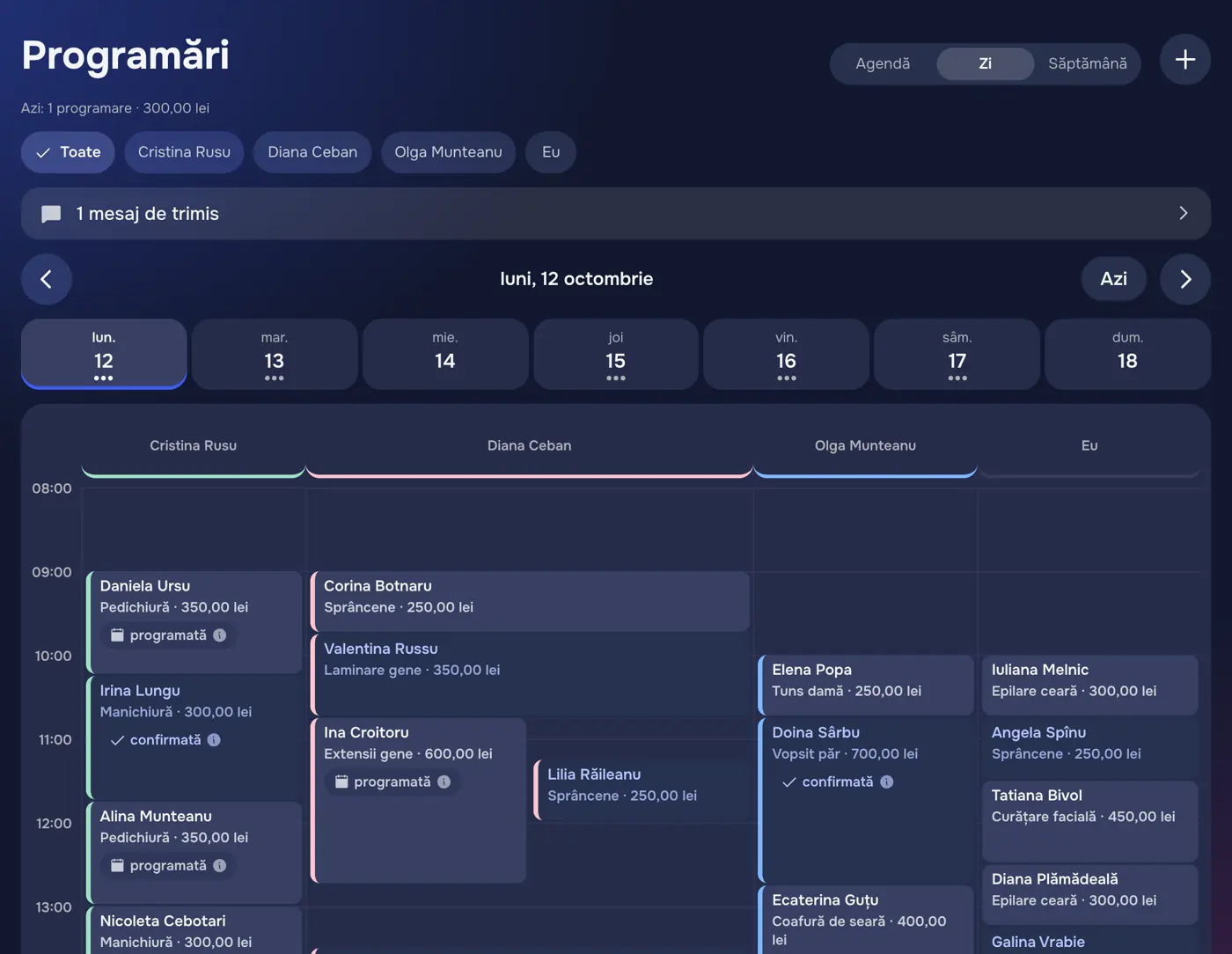
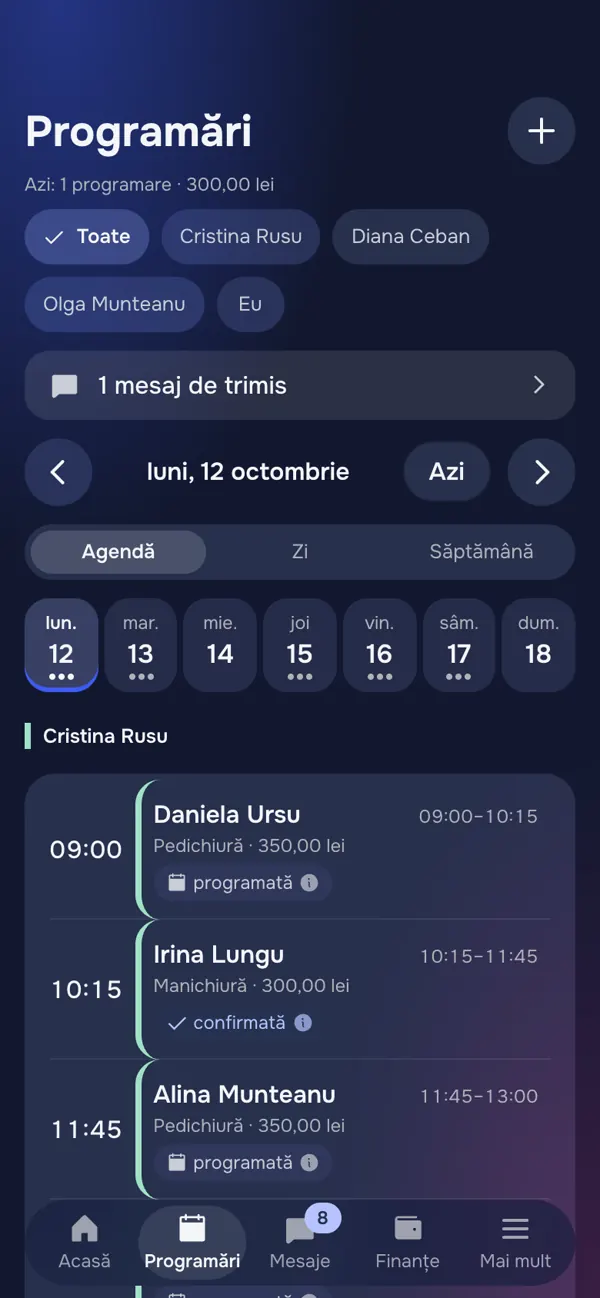
Calendar and reminders to customers
Your appointments by day and by team member. Customers get a reminder before their visit.
Messages
One inbox for Instagram and Facebook
The messages and comments your Facebook Page and Instagram professional account receive, in one list. Reply yourself, or let the AI assistant answer direct messages.

How the AI assistant behaves
The assistant is optional. You turn it on per account and can turn it off at any time.
It says it is automated
Customers are told they are writing with an automated assistant, not with a person.
It answers only from what you told it
Your services, prices, working hours and free times. Nothing else.
It never moves money
It can answer and book an appointment. Payments are recorded only by you.
It hands over to you
When a customer asks for a person, the assistant stops and the conversation is yours. You can also take over whenever you want.
Money
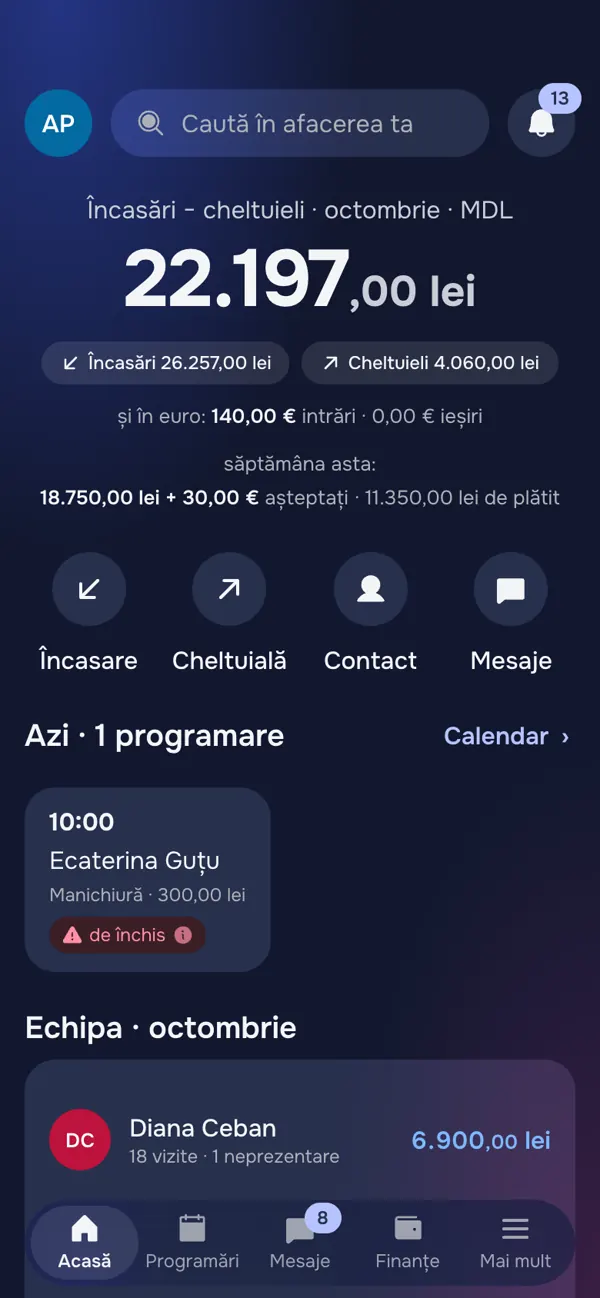
Money owed and received
What came in and what went out each month, who still owes you and what you have to pay. Each currency is kept separately.

Customers
See where your customers come from
The funnel of each period: new contacts, how many became customers and how many paid, with the same count for every channel (Instagram, Facebook, recommendations).

Marketing
Know what a new customer costs you
Enter what you spend on ads. Offy shows the new customers and the money each channel brought, what a new customer costs you, and how many came back.

Privacy
Your data
When you connect a Facebook Page or an Instagram professional account, Offy uses its data for three things only:
- to show you the messages and comments your own Page and Instagram professional account receive;
- to let you reply to them from Offy;
- if you turn it on, to let an AI assistant answer direct messages on your behalf.
Each business sees only its own data. We do not sell data, we do not use it for advertising, and we do not combine data across businesses. Connecting is optional, and you can disconnect or ask for your data to be deleted at any time.